Difference between revisions of "Template:Grid/Metal Former"
m (OMG why) |
m (Getting closer) |
||
| Line 8: | Line 8: | ||
{{#if:{{{Bottom|}}}|<div style="left:18px; top: | {{#if:{{{Bottom|}}}|<div style="left:18px; top:105px; width:32px; height:32px; position:absolute;"> | ||
[[Image:{{#if:{{{Bottom-image|}}}|{{{Bottom-image}}}|Grid_{{{Bottom}}}.png}}|32px|link={{#if:{{{Bottom-link|}}}|{{{Bottom-link}}}|{{{Bottom}}}}}|alt={{{Bottom}}}]] | [[Image:{{#if:{{{Bottom-image|}}}|{{{Bottom-image}}}|Grid_{{{Bottom}}}.png}}|32px|link={{#if:{{{Bottom-link|}}}|{{{Bottom-link}}}|{{{Bottom}}}}}|alt={{{Bottom}}}]] | ||
</div>}} | </div>}} | ||
Revision as of 16:17, 22 September 2014

This template is used to create a machine GUI that looks similar to the Metal Former's GUI screen.
Usage[edit]
{{Grid/Metal Former
|Mode=Rolling
|Input=Tin
|Output=Tin Plate
|Bottom=RE Battery (Charged)
}}
makes:
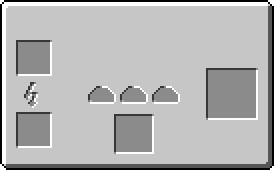


Additional Usage Information[edit]
Top can be used instead of Input, and will override Input if both are provided:
{{Grid/Metal Former
|Mode=Cutting
|Input=Copper Plate
|Top=Tin Plate
|Output=Tin Cable
|Bottom=RE Battery (Charged)
}}
makes:


Mode does not need to be given, and will default to rolling if it is not.
{{Grid/Metal Former
}}
|
{{Grid/Metal Former
|Mode=Rolling
}}
|
{{Grid/Metal Former
|Mode=Cutting
}}
|
{{Grid/Metal Former
|Mode=Extruding
}}
|
|
|
|

|
As with the Crafting Table template, -link can be added to change where an item links to (such as Iron going to Non-IC Items) and |OA= can be added after the output to increase the products:
{{Grid/Metal Former
|Mode=Cutting
|Top=Tin Plate
|Output=Tin Cable |OA=3
|Bottom=RE Battery (Charged)
}}
makes:

Note[edit]
When uploading images for this, or any other template, (if they are missing) then the following standard is used:
Grid_item name.png -- A 32x32 image of the item as it appears in a player's inventory.
See also[edit]
{{Grid/Machine}}
The above documentation is transcluded from Template:Grid/Metal Former/doc. (edit | history)
